Google
 

Wednesday, February 07, 2007

Windows Home Server Announced

During the 2007 Consumer Electronics Show or CES in Las Vegas, Microsoft revealed its plans to release Windows Home Server (WHS). Planned to be released in late 2007, Windows Home Server will be marketed to families with 2 or more computers in their home. Some of the key features include:


  • Centralized backups of connected PCs

  • Act as a central hub for media and files to connected Microsoft PCs and devices.

  • Remote sharing of content stored on the home server

Check out Paul Thurrott's most excellet winsupersite for a full review. Interestingly, Paul Thurott mentions the possibility of buying just the WHS OS and installing it on any old hardware. However, other reviews state that you will only be able to buy it as an embedded OS appliance. According to Engadget:


  • Units are headless and embedded only -- you cannot buy WHS and put it on an old PC.
  • There is no common web interface. Interaction is entirely client software based, or done over SMB.
  • It cannot directly stream media to Media Center Extenders, but it can stream media directly to Windows Media Connect-enabled devices.
  • It does not use RAID, but instead uses a RAID-like drive pooling system with built-in redundancy. Expanding capacity is as simple as adding additional drives internally or externally via USB. We can't say for sure, but we have a feeling if you were to unplug that external drive, your data wouldn't go with it since it's probably spanned across the array.
  • The client software, which is installable only on Windows PCs (duh) monitors PC health, manages backups, and supports full disk images and versions. If your computer crashes hard you can pop in an restore CD and it'll pull the disk image over the network.
  • Your WHS device gets registered with your Windows Live account and is made easily-findable by authorized parties (i.e. you and anyone you designate) while on the go. You can even connect to it via Live and pipe a Remote Desktop connection to a PC on your home network through this Home-finding Live feature.
I think the backup capability of WHS is probably the single best redeeming feature. However, nearly all the features listed can be obtained through other free or extremely inexpensive means such as online backups via carbonite.com, media sharing through orb and Network Attached Storage (NAS) through FreeNas. So it seems to me that WHS will not be a big hit with the Techie crowd but it will be interesting to see what the folks at Hack A Day come up with if it is released as an appliance. Heck, I would buy the cool looking glowing applicance just for the cool factor... and turn it into a Linux box.

Tuesday, February 06, 2007

How to Install Windows Vista

A friend of mine sent this to me this morning, it is an excellent tutorial on installing Microsoft's newest Operating System - Windows Vista.

Enjoy...

Monday, February 05, 2007

The Healthiest Dessert

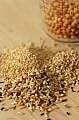
Recently I started buying Quinoa in bulk as I have come to find out that it is is one of the healthiest foods on the planet. If you have never tried Quinoa, do yourself a favor and pick some up at your local health food store.

While no other food can, by itself, furnish all the essential nutrients for living, quinoa comes as close to being complete as many other foods from the vegetable and animal kingdoms.

-Al Durtschi


It is about the easiest food to make, you simply measure it into a saucepan and add 4 to 5 times the amount in water. Bring it to a boil and let it boil all the water away, this usually takes 20 to 25 minutes. Thats it but keep your eye on it when the water starts to dry up as this is when it can burn. (If you are not sure you have pre-washed Quinoa, you should wash it first to remove a bitterness caused by saponins that cover it)

By itself, quinoa is pretty bland but this makes it ideal for adding to other dishes like salad, oatmeal, spaghetti sauce, etc. Especially if you want to add a bit of nutrition (quinoa is pack full of good carbs and has a complete amino acid profile) to a dish.

Anyway back to the healthiest dessert ever so hear it is...

Quinoa with Milk and Berries

1 Cup Boiled Quinoa (chilled)
1/4 Cup Whole Milk
1/8 tsp Stevia
1/4 Cup Frozen Berries

So you've got your boiled up Quinoa, all you have to do now is to place it in a fine mesh strainer and rinse it with cold water or place in the refrigerator for an hour so until it is nice and cold. Then you scoop your Quinoa into a bowl, cover it with cold milk, add a small spoonful of Stevia to taste (This is very arbitrary as all types of Stevia will measure differently), then add a handful of Frozen Berries. Even my picky kids love it.

I prefer the Stevia extract which has had its bitterness removed and I get the frozen berries in a giant bag mixed with rasberries, blueberries and marion berries from Costco.